
From the Toysit archive
iCarly Sam’s Remote
iCarly Sam’s Remote turns a handheld bank of sound cues into a tiny puppet-show rehearsal with pauses and a closing bow.
The play at a glance
A sound cue can give a tiny show its next beat
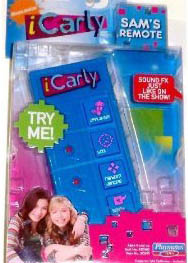
Sam’s Remote is a blue handheld with bright pink controls, pictured in iCarly packaging. The earlier account describes applause, boos, sound bites and a random-dancing cue inspired by the television show. Those buttons suggest a job behind the scenes: listening for the right moment, adding a sound and leaving room for the performer’s next line.
Let the performer finish the thought
A sound effect can mark an entrance, answer a joke or signal that a scene has ended. The interesting choice is often when to leave a pause. A performer needs space to deliver the line, and the person handling cues needs to know what comes next.
Give a small show a host, a guest and a reason to meet. Two toy figures or paper puppets can play the parts. One person can perform both voices while a partner follows a written cue sheet.
Choose friendly sounds everyone agrees to beforehand. If using a working remote, have an adult check the matching instructions and use familiar documented sounds at a comfortable level. Spoken announcements or cue cards can do the whole job as well.
Rehearse a tiny show
Write three short lines for a puppet introducing a surprising paper invention. For example: “Welcome to my workshop.” “This umbrella keeps a flower in the shade.” “Thank you for visiting!” Draw the invention on a separate card and let the puppet present it.
Mark three places on the script: a welcome applause cue, a playful transition after the invention appears and a closing bow. Decide together what each cue will be. A partner might say “Applause,” hold up a dancing-star card or use an agreed sound from the toy.
Run the scene once slowly. Let every line finish before its cue, then pause so the performer can begin again. Swap jobs and repeat. Notice whether a longer pause gives the audience more time to look at the invention.
Change the paper invention for a second performance: a mailbox for clouds or a teacup for a giant. Keep the same three cue marks and discover how they fit a new scene. Add the finished script to a little show folder, ready for an audience of willing friends or toy figures.
The historical record
Original Toysit coverage
The complete earlier product account and commentary are preserved below as historical coverage.
Sound effects just like on the iCarly show
iCarly Sam's Remote produces sound effects just like on the iCarly show, including applause, boo's, sound bites, and even the famous random dancing announcement. You can use Sam's remote around your home, with your friends, or even when creating your own web show. All the sound effects are recorded on a chip on the device. Pushing the buttons activates the sounds.
"iCarly," a popular American teen sitcom that aired from 2007 to 2012, quickly became a cultural phenomenon among young viewers. The show centered around Carly Shay, portrayed by Miranda Cosgrove, who creates a web series along with her friends Sam and Freddie. Known for its comedic elements, quirky characters, and relatable teenage scenarios, "iCarly" resonated with its audience by blending humor and real-life experiences in the digital age.
Sources and editorial notes
The original Toysit package image and both earlier paragraphs were reviewed and preserved. The visible Playmates branding and sound labels support this description. A matching full manufacturer manual or readable rear package was not recovered; no recording, programming, battery or complete sound-list claim is added. Later “New Sounds” editions were not substituted. The cue-rehearsal activity is original to Toysit; no physical testing was performed.
- Original Toysit image — Existing same-site image reviewed and retained unchanged.
- Original Toysit coverage — Complete historical account retained, including its original claims and wording.

Images and descriptions are retained as historical material. How Toysit covers toys.
Created for Toysit by Tabbloza — the artwork in our header.