
From the Toysit archive
V-Tech Starter Notebook Computer for Kids
Explore the V-Tech Starter Notebook’s keyboard, mouse and activity choices, with context for its old vPort connection and a paper navigation game.
The play at a glance
Choose, confirm, then see what happens
The Starter Notebook put familiar computer controls around a set of learning activities. Letters, numbers, a mouse and a cursor pad offered several ways to make a choice. Its useful distinction today is between what the toy did on its own and what depended on a separate computer connection.
Separate moving from choosing
The SkillStarter guide describes a left mouse button for selecting and a right button for going back. The keyboard and cursor pad offer other routes through activities. Enter confirms a choice; Esc leaves a screen. These are useful distinctions to notice before focusing on an answer.
Invite a child to say what they expect a control to do, make one input, then look at the result together. If the wrong item is selected, identify whether the difficulty was moving to it, confirming it or understanding the question. Those are different problems, and each can be approached at a comfortable pace.
Built-in play and the old connection
The original description covers word, number, music and creative activities. The manual treats vPort synchronization with desktop software and infrared exchange as separate functions. A reference to downloaded content does not mean that the toy has a web browser.
For a surviving unit, make two lists: activities already available on the toy and features described as requiring other equipment. Keep the latter separate from a present-day buying decision. A historical website address or cable listing does not establish a working service or compatibility with a current computer.
Read the totals in context
Toysit’s old copy says 30 activities; the manufacturer guide says 31. Without an exact revision match, a total is less useful than identifying which activities are actually present. Likewise, a long list of subjects does not tell you how much reading a particular task requires or whether the pace suits a child.
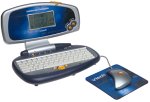
For an old unit, record the model label and visible controls before seeking accessories or instructions. The preserved photograph is small and cannot establish a complete bundle.
Make a paper menu
Draw four labeled boxes: Words, Numbers, Music and Pictures. Use a paper arrow as the cursor. One player gives a direction; the other moves the arrow. Say “choose” to open a category and “back” to return. Add one simple task inside each category, such as drawing a shape or naming a rhyming word.
This independent Toysit activity separates navigation from answering. Swap roles and invent a clearer instruction when a move is misunderstood.
The historical record
Original Toysit coverage
The complete original coverage is preserved below. Its opening paragraph describes the toy; the later discussion of children’s notebooks makes broader claims about internet access, construction and learning that are not verified features of this model.
Learning companion with large LCD screen, keybard, and mouse
Powerful and portable computer styled learning companion with large LCD screen, keybard and mouse. Thirty game style activites build core skills for school success, focusing on: phonics, spelling, vocabulary, vowels, telling time, greater than/less than, similarities/differences, days and months, addition and subtraction. Additional word games and arithmetic problems can be downloaded from a secure VTech website with the optional vPort accessory - sold separately. Includes school tools such as: typing tutor, calculator and organizer. Features creative games such as: music composer, artwork studio and Creation Station, where children make and share their won personal, animated acharacters. Fun two-player games can be played across devises with wireless infrared communication.
Laptop computers designed specifically for children and limited to educational functionality offer a focused and safe environment for learning. Unlike standard laptops, these specialized devices often come pre-loaded with age-appropriate educational software and games that aim to develop various skills such as math, science, and language arts. Internet access is usually restricted to predetermined, child-safe websites, reducing distractions and the risk of exposure to inappropriate content. These laptops often feature a simplified, child-friendly interface, and rugged design to withstand the wear and tear of young hands. By limiting functionality to educational purposes, these laptops minimize distractions and maximize learning, making them an excellent tool for both classroom instruction and at-home education.
Sources and editorial notes
VTech’s SkillStarter Notebook guide was read as indexed manufacturer PDF text. Direct retrieval failed, so its diagrams and the archived unit’s exact revision could not be compared. The guide lists 31 activities while the original page says 30; both counts remain attributed rather than silently reconciled. No hardware or former online service was tested.
- VTech SkillStarter Notebook user’s manual (PDF) — Manufacturer instructions; indexed text inspected, direct download unavailable during review.
Images and descriptions are retained as historical material. How Toysit covers toys.
Created for Toysit by Tabbloza — the artwork in our header.