
Play ideas to start with
Choose a recording to explore, then let a picture, greeting or invented character carry the experience into a story. These historical album profiles keep editions and track lists in view while offering optional activities in your own words.
Explore earlier toys through their play ideas and historical context. Each article explains its evidence and edition limits; these selections are reading routes, not a current buying list.
Draw somewhere for the music to go
Historical recording and story activity
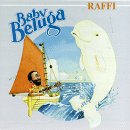
Send sailboat listening postcards
Draw a harbor, shore and evening sky, then add a visitor and an original greeting between chosen songs or as a paper story.
Baby Beluga — Raffi
Historical recording and story activity

Invite a neighborhood guest band
Draw three homes, deliver paper invitations, and let invented neighbors answer with gentle taps, claps or spoken greetings.
Rocket Ship Beach — Dan Zanes and Friends
Let a small change start a new scene
Historical recording and story activity

Open a sound-change puppet workshop
Draw a cat and a hat, change the opening sound, and let the two pictures start an original delivery story.
One Little Sound — Hap Palmer
Historical recording and story activity
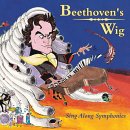
Design a concert hat and an encore
Give a paper performer two surprising hats, invent a welcome for each, and let the audience choose the next imaginary venue.
Beethoven’s Wig — Sing Along Symphonies
Explore the collection
Find a closer look at each toy, activity or historical report, grouped by what you would like to explore. The original index remains below with its earlier titles and wording.
Song collections and invented gatherings
- Baby Beluga — Raffi Historical music profile
- Barney’s Greatest Hits Historical music profile
- Disney Children’s Favorite Songs, Volume 2 — The Twenty-Five-Tune Edition Historical music profile
- Rocket Ship Beach — Dan Zanes and Friends Historical music profile
- Toddler Favorites — Music for Little People Historical music profile
- Tom T. Hall — Country Songs for Children Historical music profile
- Wiggly Safari — The Wiggles Historical music profile
- Yummy Yummy — The Wiggles Historical music profile
Words, numbers and song programs
- One Little Sound — Hap Palmer Historical music profile
- Schoolhouse Rock: Grammar Rock Historical music profile
- Schoolhouse Rock: Multiplication Rock Historical music profile
- Sesame Street: Sing the Alphabet Historical music profile
Film and television collections
- Baha Men — Greatest Movie Hits Historical music profile
- Disney’s Greatest, Volume 1 — Twenty Film Songs Historical music profile
- Lilo & Stitch — Original Animated-Film Soundtrack Historical music profile
- Pokémon: The First Movie — Music from and Inspired by the Motion Picture Historical music profile
- Totally Pokémon — Music from the TV Series Historical music profile
Pop groups and cover compilations
- Jump5 — Self-Titled Album Historical music profile
- Kidz Bop 4 — The Eighteen-Track Collection Historical music profile
- Kidz Bop 6 — Pop Songs and Dance Remixes Historical music profile
- Play — Seven-Song Debut Collection Historical music profile
Classical pieces and playful responses
- Bach for Babies — A Day in Musical Pictures Historical music profile
- Beethoven for Babies — Flute, Piano and Orchestra Historical music profile
- Beethoven’s Wig — Sing Along Symphonies Historical music profile
- Classical Music for Children — A Picture Gallery of Pieces Historical music profile
Lullaby compilation
- Lullaby: A Collection — Twelve Artists and a Moonlit Cover Historical music profile
Faith and Sunday school collections
- 100 Bible Songs for Kids — The Time Life Collection Historical music profile
- 25 Sunday School Songs Kids Love to Sing — Songs and Medleys Historical music profile
Choose a listening experience
A familiar song to sing together, a lively recording for movement and an album to explore quietly serve different purposes. Start with what the child wants to do with the music. A short selection that invites another listen can be more useful than a large library that is difficult to navigate.
This guide covers recordings and listening. For instruments, rhythm toys and making your own sounds, visit Music Toys. The albums and songs in the archive below remain part of Toysit’s history; their presence does not confirm a current edition, seller or streaming listing.
Match the format to the player
| Format | Useful when | Check before choosing |
|---|---|---|
| Physical recording | You want a visible, finite album to select and put away. | Compatible player, disc condition, track controls and storage. |
| Purchased download | You want particular recordings on a device. | Exact version, file or app requirements, account access and download procedure. |
| Streaming selection | You want to explore a changing catalog. | Subscription terms, ads, autoplay, download permissions and what works offline. |
| Dedicated audio player | You want a child to choose from a manageable set of recordings. | Required cards or accessories, setup account, charging and replacement content costs. |
“Available in an app” and “ready without a connection” are separate questions. Download and try the selected recording on the actual device before relying on it during a journey. Check the service’s current help for what happens when a subscription ends or an account changes; formats and services do not share one set of rules.
Listen before building a collection
Preview the exact recording, including its language, themes, pace and production. Two releases with the same song title may use different performers, arrangements or words. Check the artist, album, track list and edition instead of relying on the cover alone. An instrumental version may fit one activity while a clearly sung version suits another.
- For singing: try a recording whose pace leaves room to join in.
- For movement: choose a clear space and movements everyone can comfortably adapt.
- For listening: offer a small choice and let the child repeat, skip or stop.
- For a group: agree on turns and a volume that permits conversation.
These are ways to explore preferences, not promises about sleep, learning or development. A child can enjoy listening without being asked to perform or explain every song.
For a fan drawn to SpongeBob songs, SpongeBob Stuff distinguishes recordings from singing toys and other character products. Its older music listings remain historical references, not a promise of current streaming availability.
Try a three-track listening game
Choose three short selections together. After each, invite one response: tap a pattern, draw a shape the music suggests, or describe an instrument you noticed. The next listener chooses whether to repeat the track or move on. Keep participation optional and end while there is still interest.
Use your own movements and sounds; there is no need to print song lyrics. For a homemade rhythm response, explore sound-making options or use simple hand claps. For drawing alongside the music, see Art Toys.
Make playback easy to manage
Before handing over a player, find pause, skip, volume and the end of the queue. Review autoplay, explicit-content settings, purchases and account permissions where offered. Decide whether playback will use a shared speaker or headphones, and make sure an adult can adjust the level. Keep charging cables and small accessories stored appropriately.
Keep a short note of the artist, recording and format that worked. That is more useful for finding it again than a broad playlist title. If a purchase needs downloading again, use the provider’s own instructions; for example, Apple explains how to redownload iTunes Store purchases. That process is specific to purchased music and the relevant account. For device features and connected-toy questions, continue with Kids Electronics.
From the Toysit archive
Earlier coverage, with original titles and descriptions preserved as historical material. These descriptions include the promotional wording and claims of their time; they are not current operating instructions, safety assurances or product recommendations. Availability, pricing and app support have not been reverified. Identify the exact model and consult its current instructions and recall information.
- 100 Bible Songs for Kids - As advertised on TV from Time Life.
- 100 Songs for Kids - As advertised on TV.
- African Lullaby - Sung by such top traditional and Afropop artists as velvet-voiced Ladysmith Black Mambaza and the breathtaking Mor Dior Bamba, every song embraces and soothes.
- Alphabet Learning Songs - Sing the Alphabet by Sesame Street.
- Baby Beluga by Raffi - Baby Beluga is a fun-filled collection of favorite children's songs and Raffi originals, all performed in the singer's folksy, expressive style.
- Bach for Babies - Bach Music for Infants.
- Baha Men Greatests Movie Hits - Music from popular kids movies.
- Barney Music CD - Barney's Greatest Hits.
- Beethoven Baby Music - Beethoven for Babies: Brain Training for Little Ones - Classical Music for Infants.
- Birthday Party Play Music - Playtime Favorites.
- Classic Disney Music Collection - 60 years of Disney music on 5 CDs.
- Classical Music for Children - Wonderful selection of classical music for kids.
- Classical Music Sing Along Symphonies - Beethoven's Wig: Sing Along Symphonies.
- Country Songs for Children - Country music for kids.
- Disney Music Greatest Hits - Old and new Disney Classics.
- Favorite Kids Music - Walt Disney Records - Children's Favorite Songs, Vol. 2 - 25 Classic Tunes.
- Grammar Learning Songs Grammer - Grammar Rock - Schoolhouse.
- Jump 5 Band - CD Five - Jump 5 pop band for kids.
- Kids Bop 2 - Kidz Bop Two - The great classic compilation that kids love.
- Kids Bop 6 eighteen tracks of classic pop hits and dance remixes that are perfect for parties and sure to be loved by children.
- Kids Party Music - Great dancing music for kids party.
- Kidz Bop - Kids Bop - As advertised on TV.
- Lilo Stitch Soundtrack - Music from the Movie.
- Lullaby Compilation Collection - Lullaby: A Collection by various artists.
- Math Learning Songs - Multiplication Rock from Schoolhouse Rock.
- Mozart Baby Music - The Mozart Effect - Music for Babies - Playtime to Sleepytime.
- Phonics Learning Songs - One Little Sound - Fun With Phonics And Numbers by Hap Palmer.
- Play Girl Band - From Sweden.
- Pokemon Music for the Car - Popular music from the hit animation.
- Pool Party Music - Drew's Famous Pool Party Music.
- Rocket Ship Beach Dan Zanes - Polly Wolly Doodle with Sheryl Crow and other songs.
- Silly Songs for Kids - Silliest Songs for Children.
- SpongeBob Squarepants Theme Music - Sponge Bob Original Theme Highlights.
- Sunday School Songs Music CD - 25 Sunday School Songs Kids Love by All-Star Children's Chorus.
- Toddler Favorite Music -For Little People.
- Totally Pokemon TV Music Soundtrack - From the TV Series.
- Wiggly Safari Croc Hunter Steve Irwin - Wiggly Safari (Starring The Crocodile Hunter, Steve Irwin) by The Wiggles.
- Yummy Yummy Wiggles Australia - Australian boy band with top kids music hit.
A guide to evaluating toys, not a hands-on product test. Read our editorial approach.
Created for Toysit by Tabbloza — the artwork in our header.